All-in-one for restaurants, bars, cafés and event venues
Run the whole venue from one app.
Guestavo takes the bookings and keeps the guest book. Menus, messages, events, loyalty and the staff rota live in the same app, under one login.
A call with sample data, then a free pilot if it fits. No card, and no sign-up to book the call.
Inside the app
What it runs, screen by screen.
Each part works on its own, and all of them share one guest book and one team. Start with the part you need most. The rest is there when you want it.
- 01Bookings
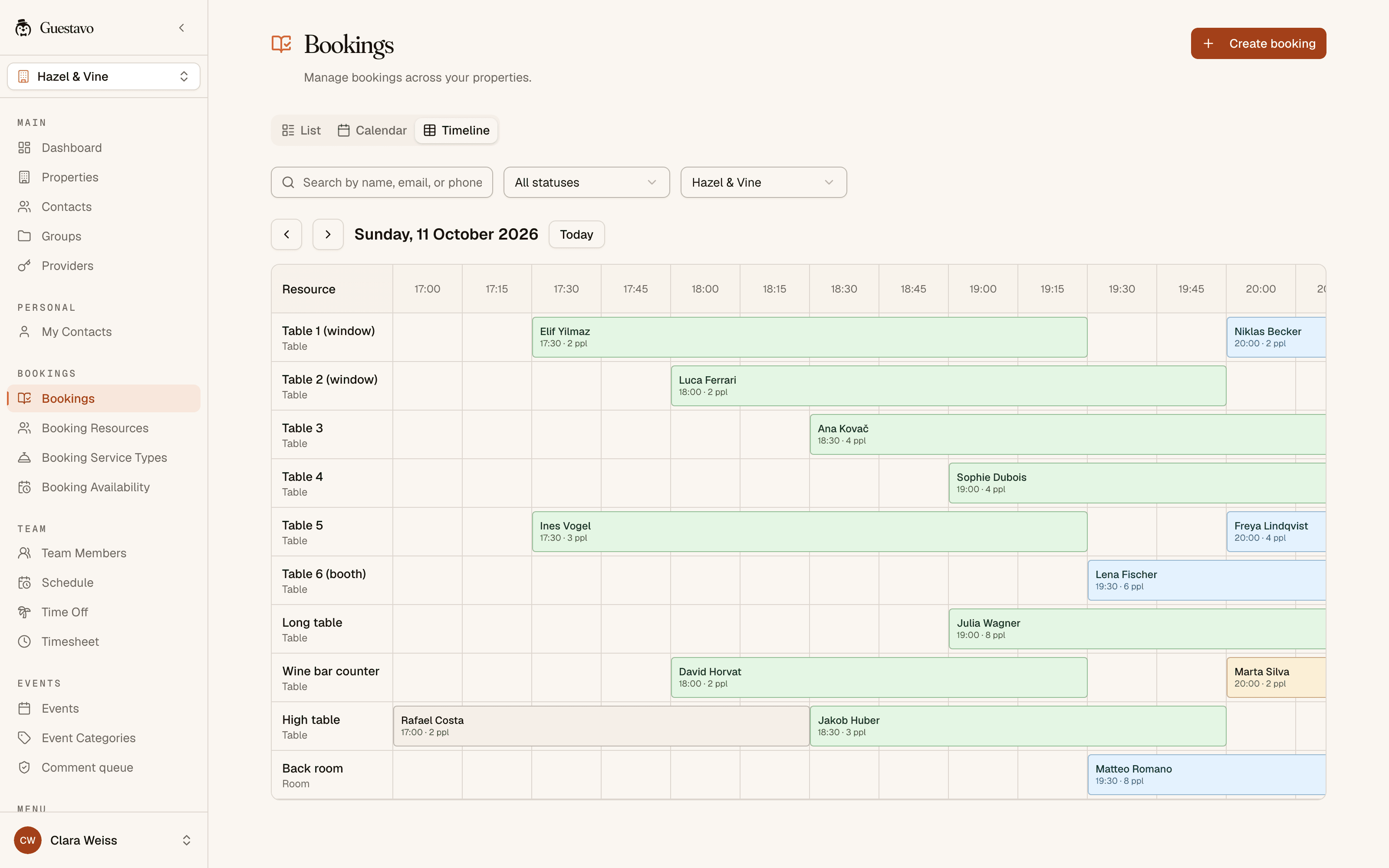
The book, as a list or on a timeline
Guests book on your own page, and availability checks the party size against your tables. Every reminder email carries a link to move or cancel.
- List, calendar and table timeline
- Services such as a birthday package or a private tasting
- A no-show record for each guest, over twelve months
- A no-show policy for each venue
Your team sees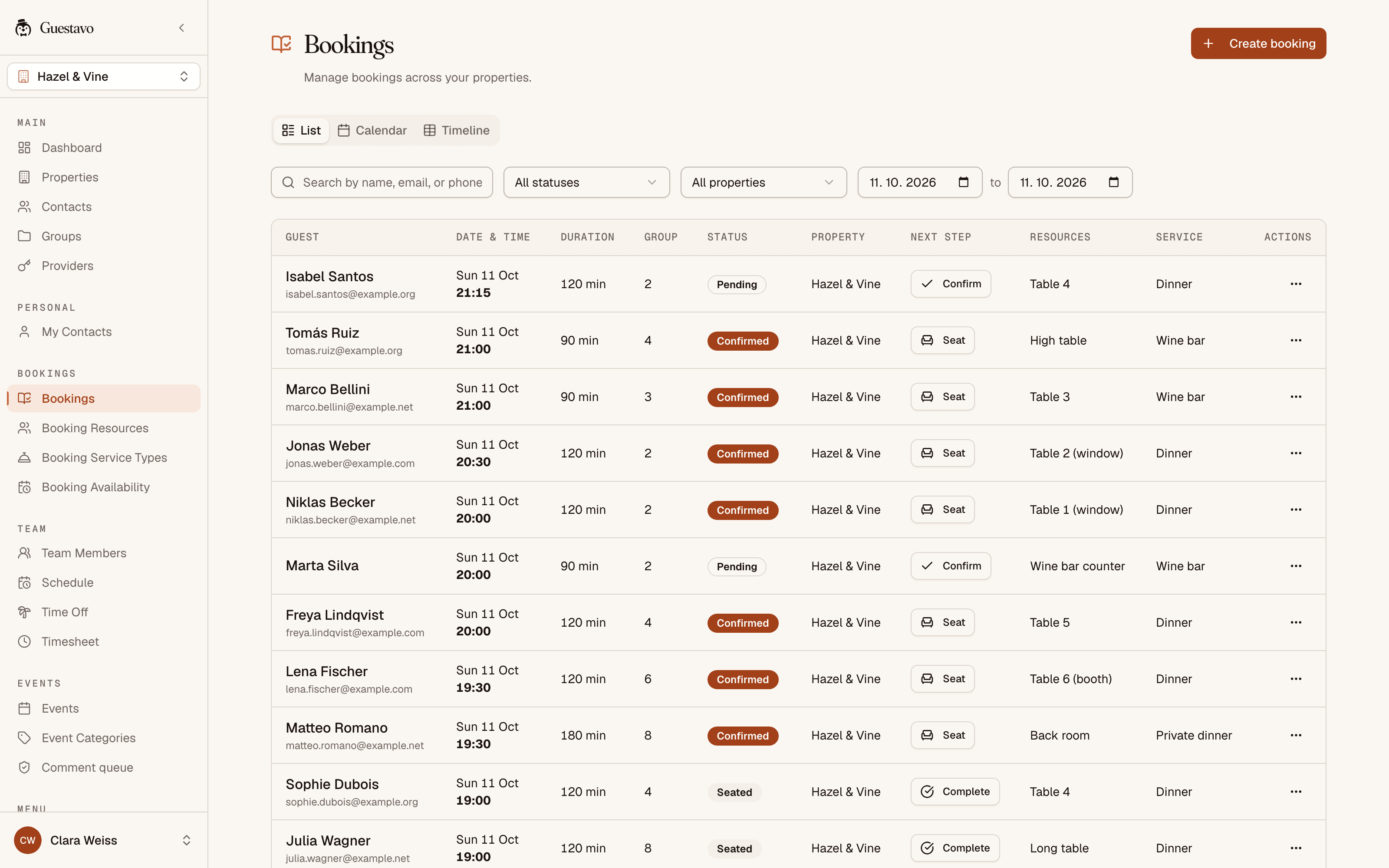
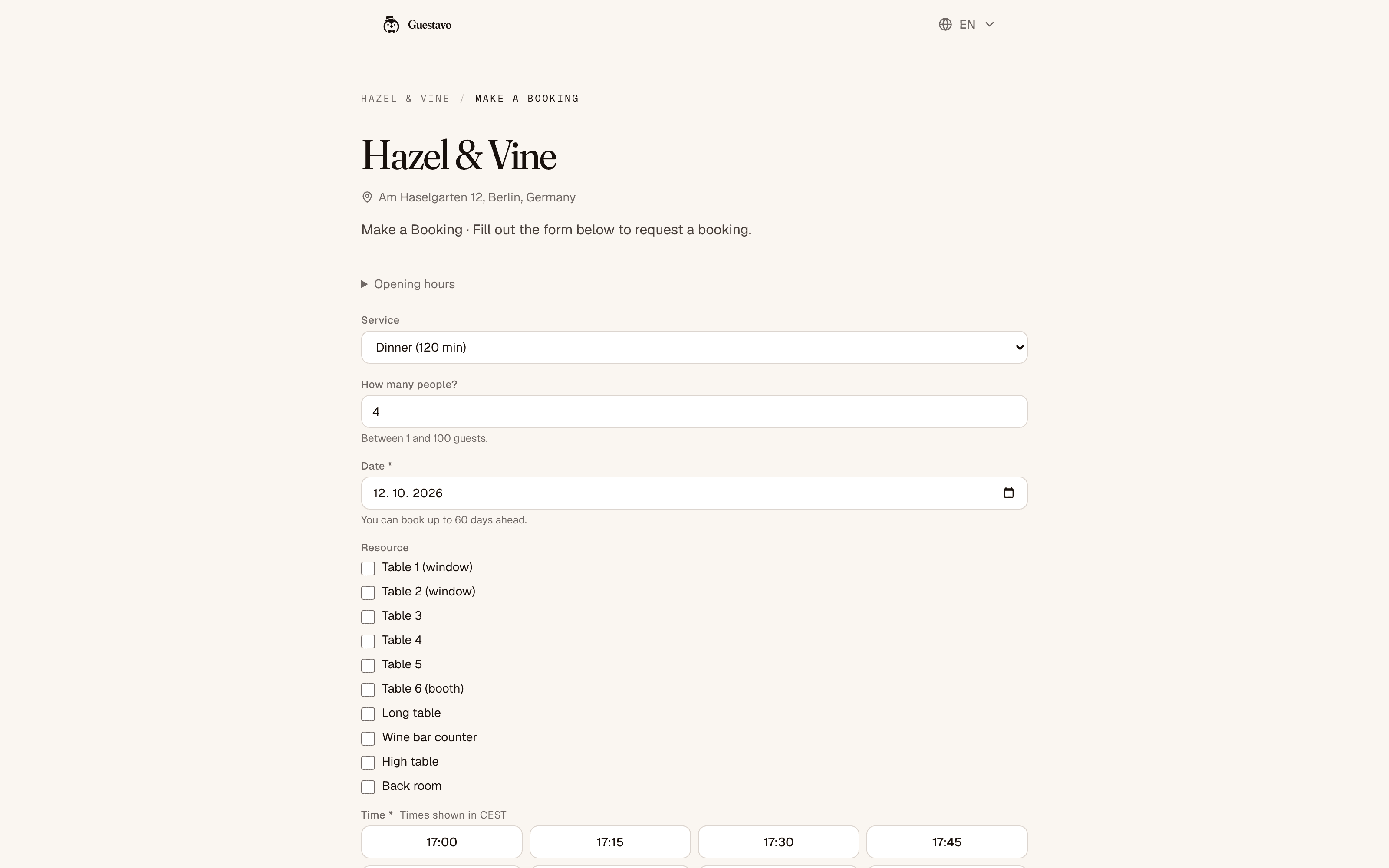
Your guests see
- 02Menus and QR
Change a price once, and every QR code shows it
Build menus by category, with prices, the 14 EU allergens and daily specials. Guests scan the code on the table and read the current menu in their browser.
- Several menus, such as brunch and drinks
- QR codes and a print-ready PDF
- A slideshow for the screen behind the bar
- Optional AI scan of a paper menu, paid with credits
Your team sees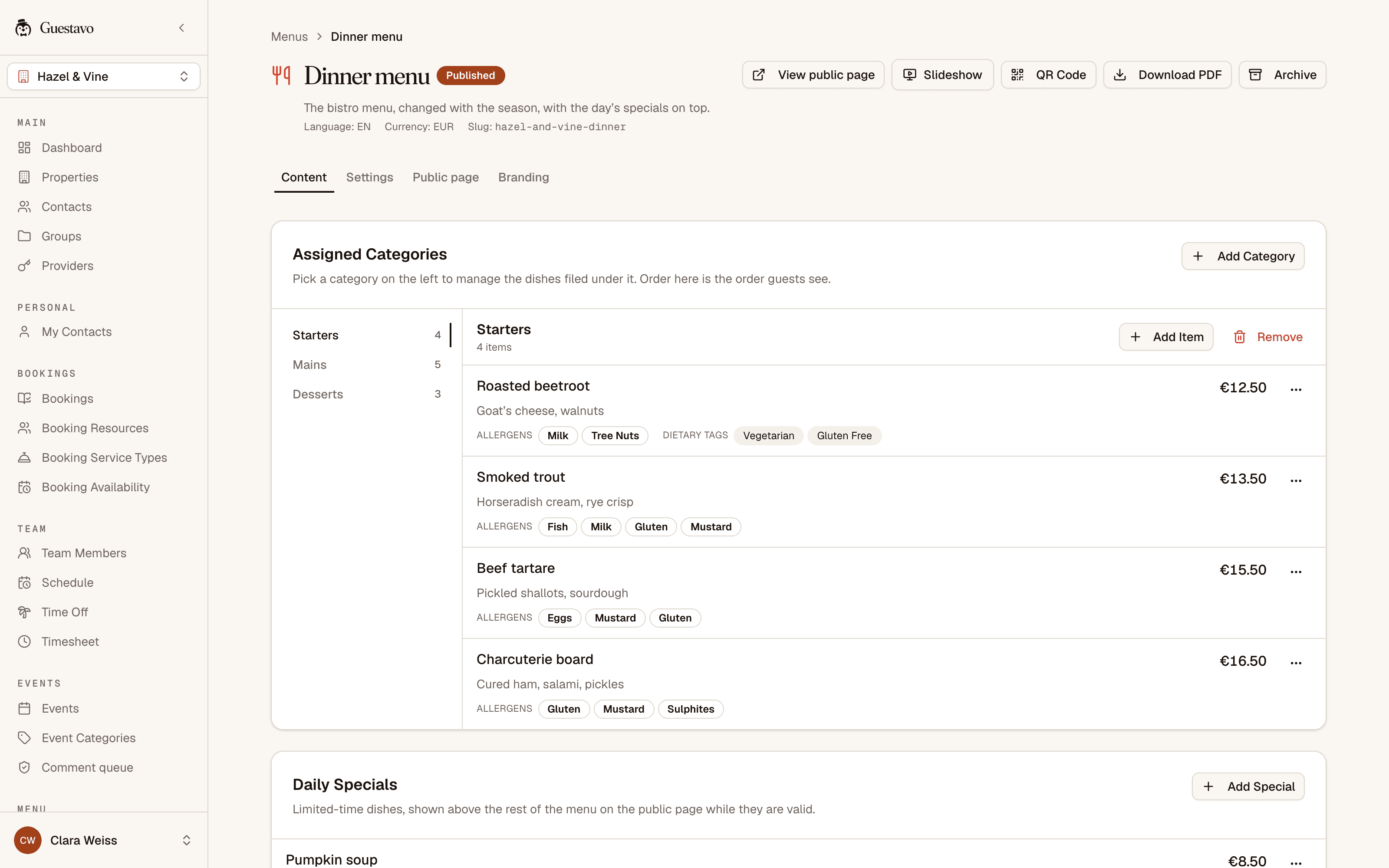
- 03Guest book
One record per guest, whichever way they came in
Bookings, event sign-ups and QR join pages all write to the same guest book, with the venue and the touchpoint each guest came through. Marketing consent is recorded, and opt-outs are kept for each channel.
- Import your current list from a CSV file
- Tags, custom fields and groups that update themselves
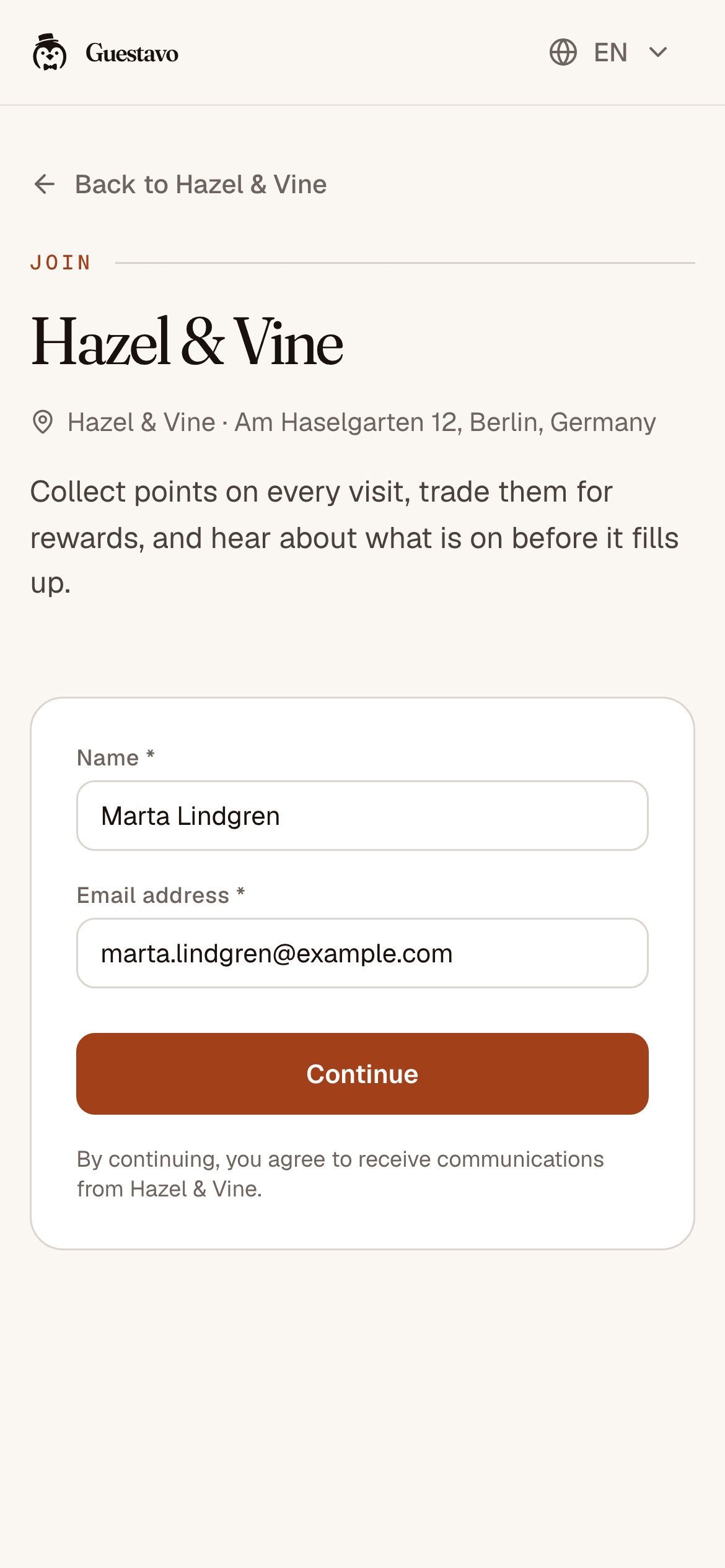
- Join pages that confirm the guest’s email
- Export or delete a guest’s data when they ask
Your team sees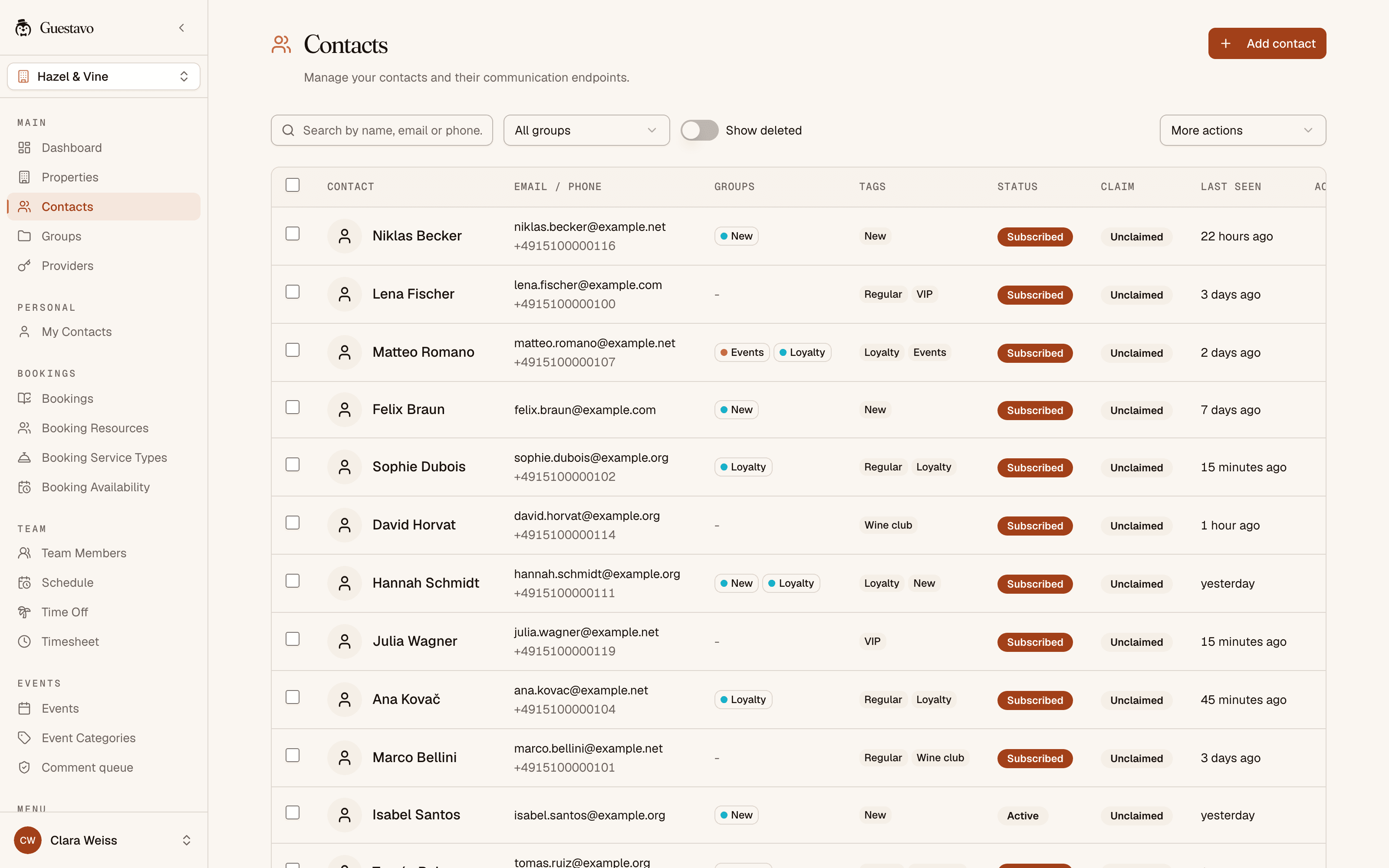
Your guests see
- 04Messages
Every confirmation and reminder, and whether it arrived
Send booking reminders and news by email and SMS, with WhatsApp on request.
- Campaigns to a group, sent now or on a schedule
- Templates you can reuse
- If one channel cannot reach a guest, the next one tries
- Every message with its delivery status
Your team sees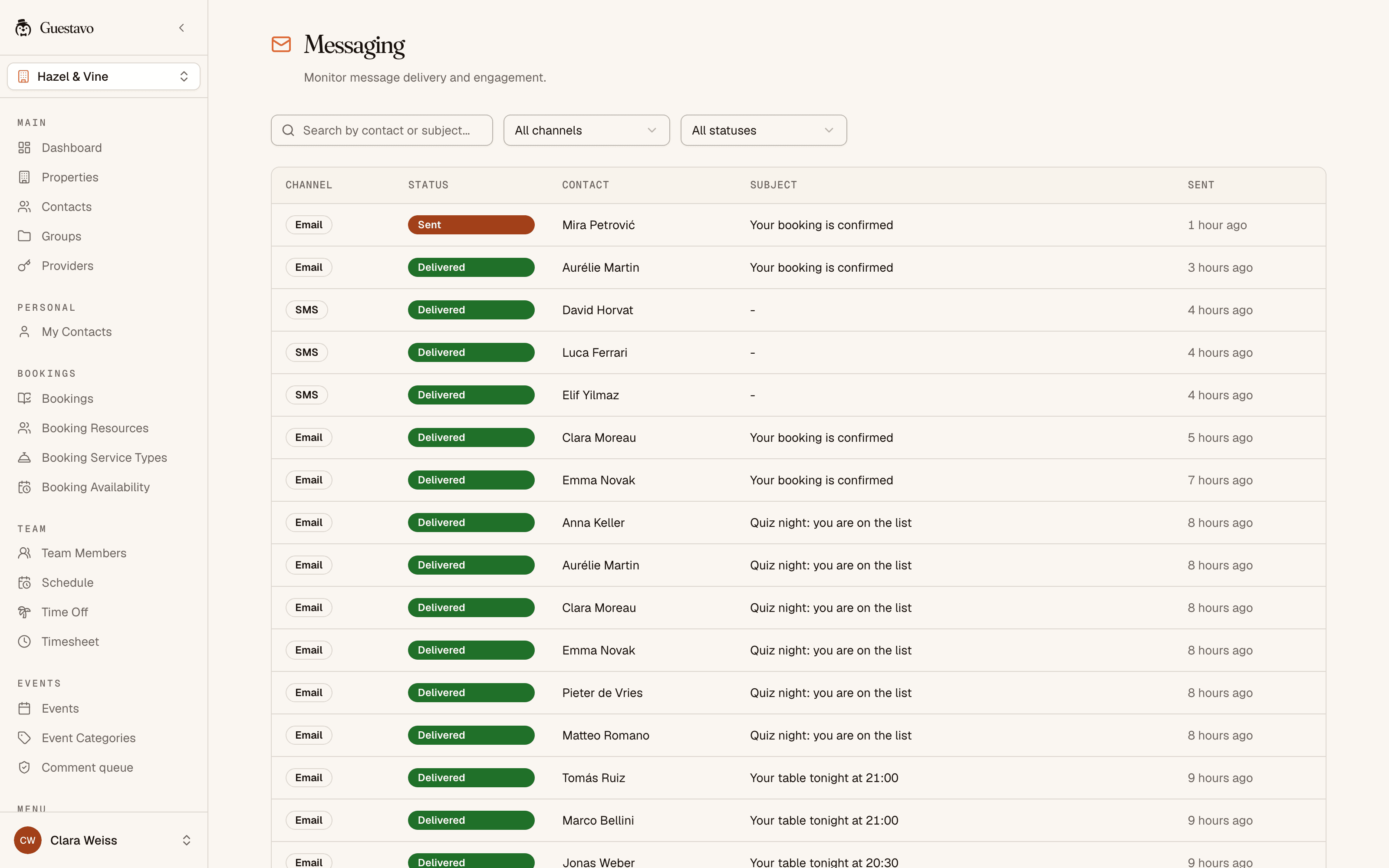
Shown here: the message log, where every confirmation and reminder sent by email or SMS shows whether it was delivered. - 05Events
An event page with sign-ups and a waitlist
Publish the night and guests sign up without making an account. When someone drops out, the next person on the waitlist moves up.
- Song requests, one vote per guest
- A console for the DJ and a photo wall you moderate
- Crew roles for the DJ, moderators and managers
- Inquiries and quotes for private hire
Your team sees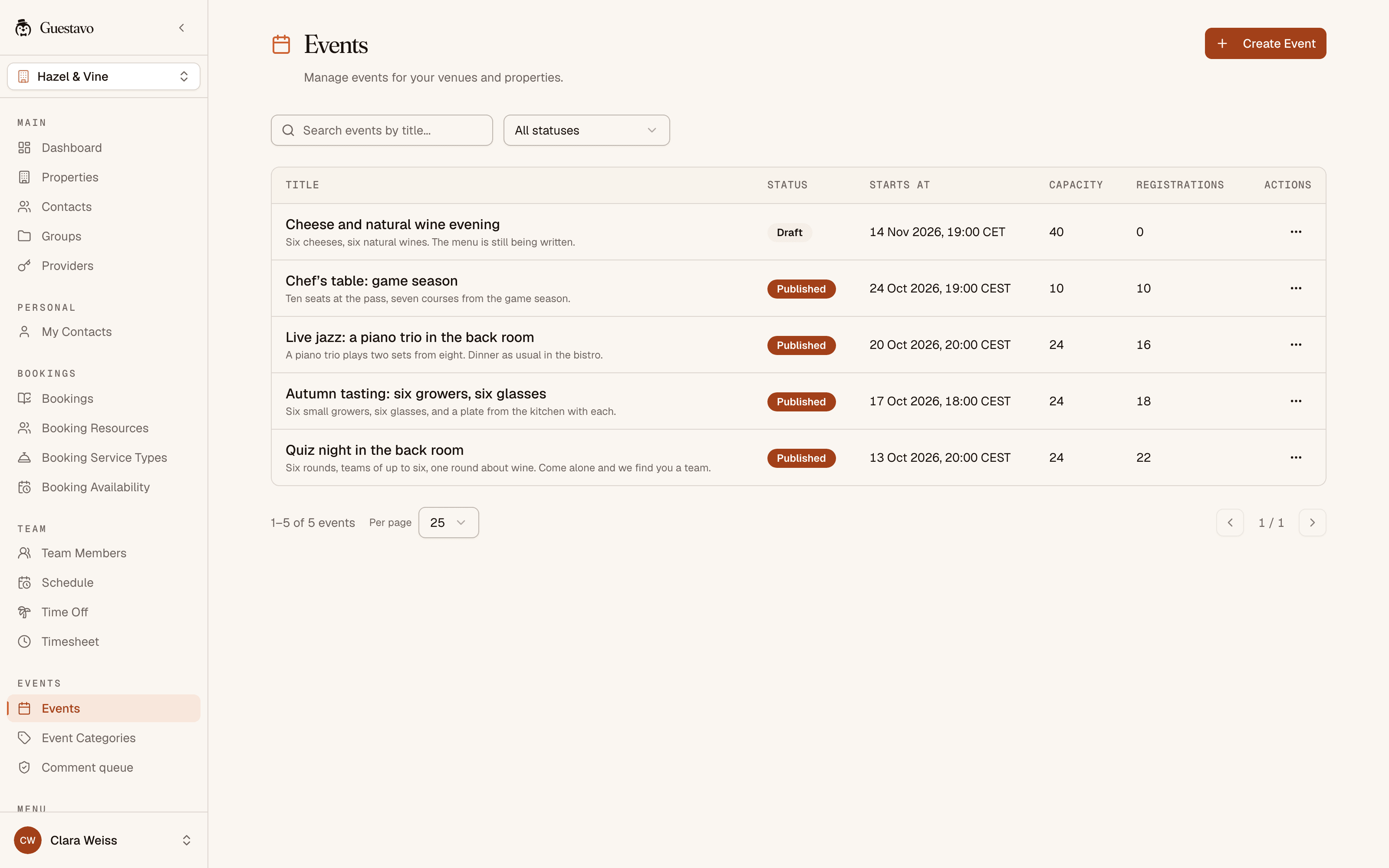
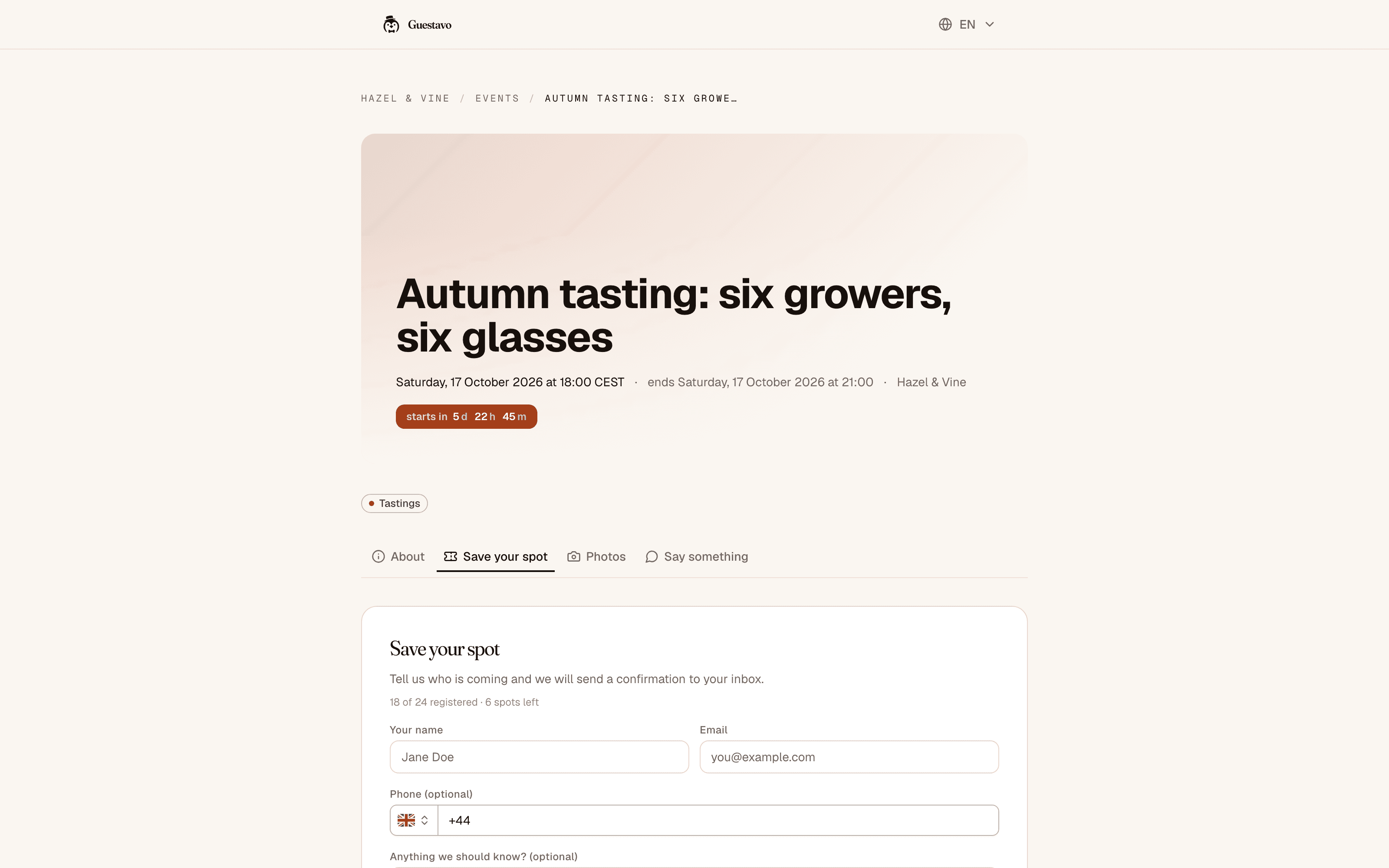
Your guests see
- 06Loyalty
Points and rewards, on your rules
Guests earn points for visits, keep streaks going and move up the tiers from Bronze to Platinum. You choose the rewards and the milestones that earn a badge.
- Visits counted from bookings, event check-ins and staff
- A reward catalogue and redemptions
- Badges for the milestones you pick
- Leaderboards by points, visits and streaks
Your team sees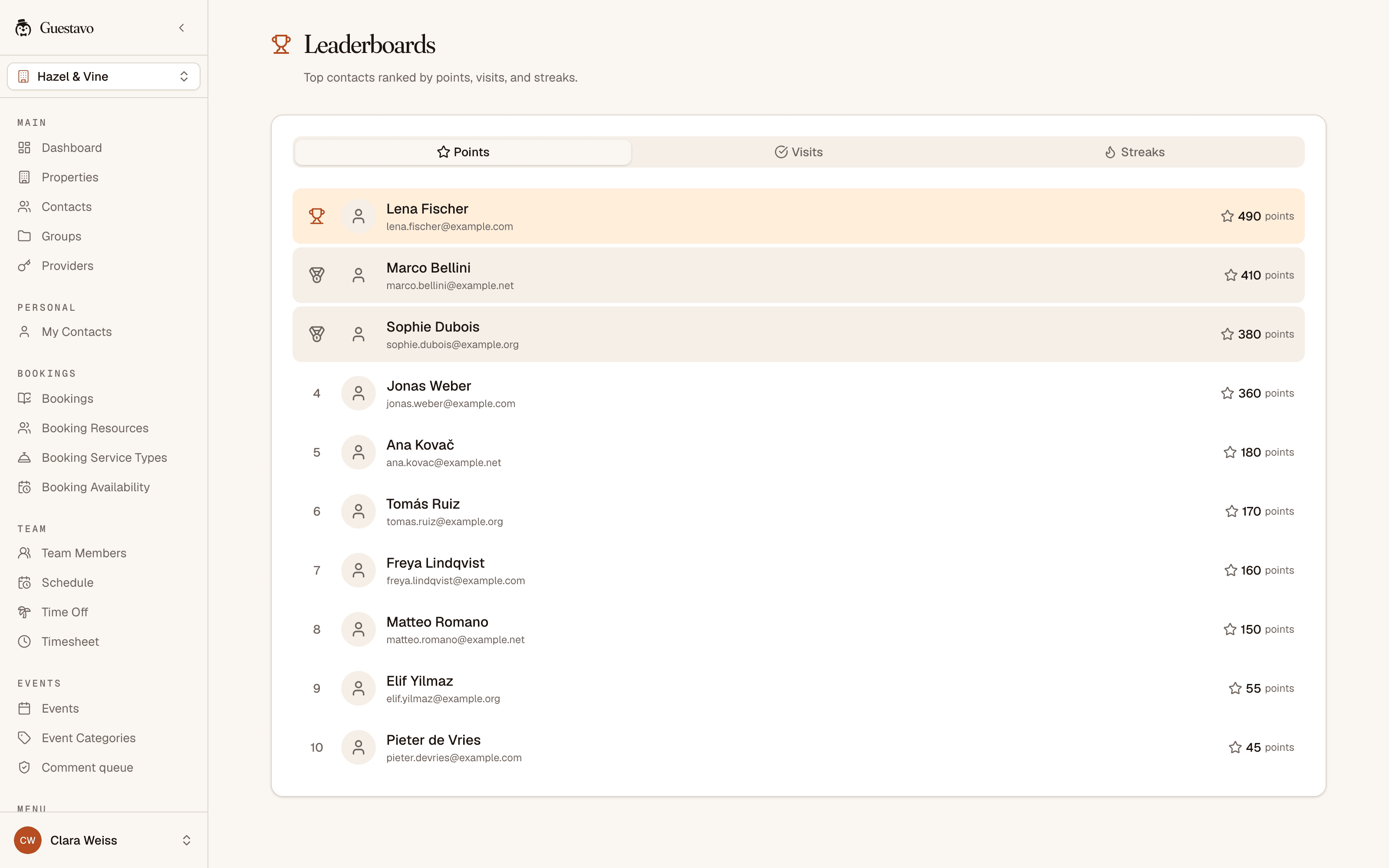
- 07Venue page
A page for your venue, and an account for your regulars
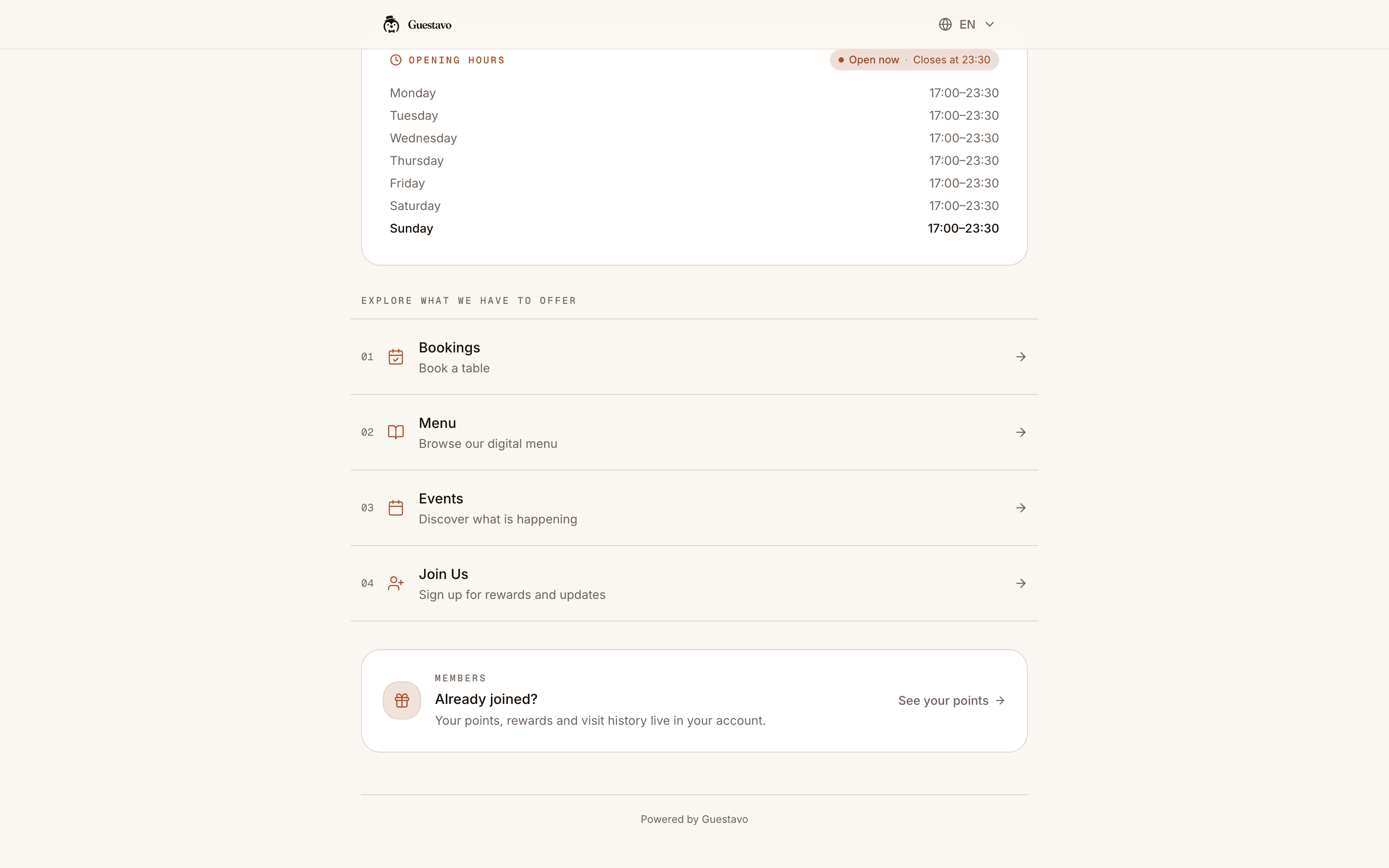
Your public page holds the opening hours, menus, events, booking form and join link. Guests who claim their record can see their visits, points and bookings, and set their own preferences.
- Made for phones, with no app to install
- Opening hours with an open-now notice
- In English, German and Slovenian
- One link for your Instagram bio
Your guests see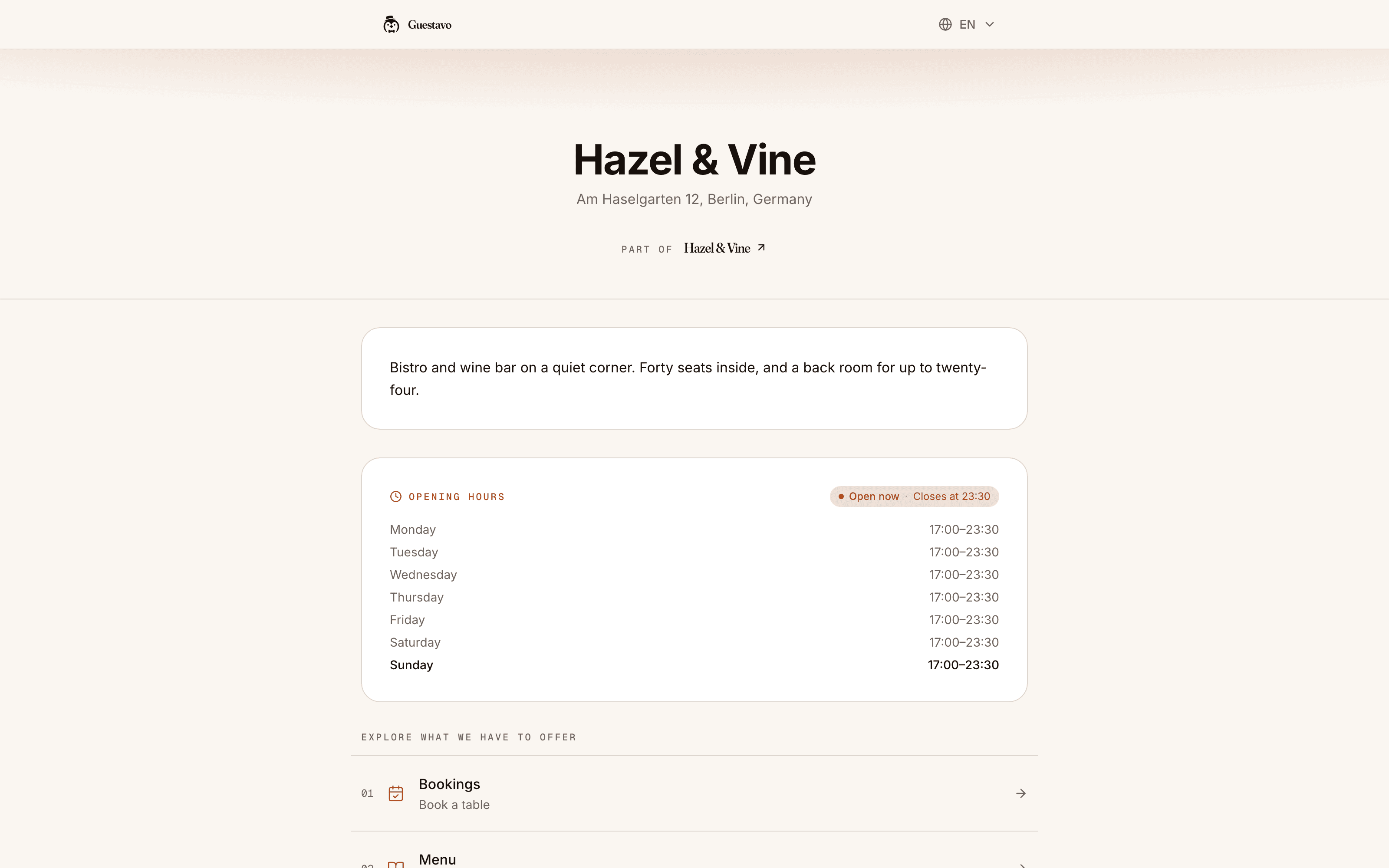
- 08Team and rota
The rota, with the covers already booked above it
Plan the week on a grid, keep it as a draft and publish it when it is ready. Each day shows the covers on the book and what the shifts cost per cover.
- Open shifts, time off and approvals
- Clock-in and timesheets
- Warnings on long shifts and short rests, against your house rules
- Wage figures only for the people you allow
Your team can be on the rota without a login.
Your team sees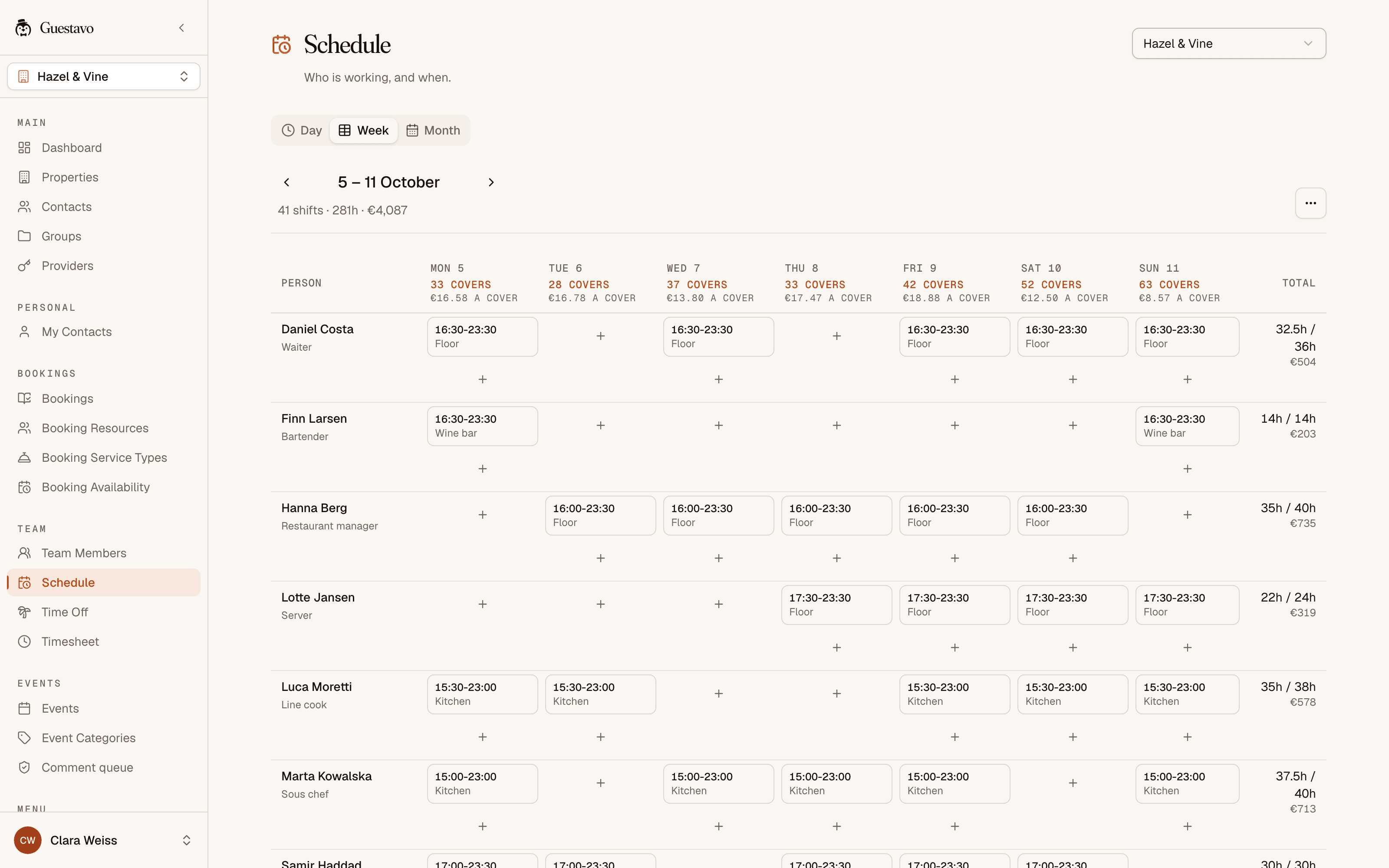
Also in the app: a dashboard for the day, and reports on covers, labour, messages, loyalty and events for any period you pick.
What it leaves to other tools
- Your till
- It is not a POS and does not connect to one yet. It runs beside the till you have.
- Payroll
- It prices the shifts you publish. It does not pay anyone.
- Marketplaces
- Guests book on your own page, with no platform in between.
- IT projects
- There is nothing to integrate before you start. Bring your guest list as a CSV file.
For your AI agent
Ask your venue, in your own words.
Guestavo connects to any AI agent that speaks MCP, the open standard for plugging tools into assistants. Ask who is in tonight, or have it move a booking. It reaches only what you allow, and you can undo what it changed.
- Works with any agent that speaks MCP
- Only the venues and actions you tick
- Every change written down, and undoable by a person
- It never messages your guests
- You
Who is in tonight, and are we short anywhere?
- Agent
38 covers over 11 bookings. The busy hour is 19:30 to 20:30 with 22 covers, and from 20:00 there are two of you on the floor. The Novak table of eight at 20:00 is their fourth visit this year.
- You
Move the Novaks to 20:30.
- Agent
Before I change it: Novak, eight people, tonight, from 20:00 to 20:30. Table 12 is free then, and I will not message them. Go ahead?
- You
Yes, go.
- Agent
Done. It is in your agent activity, and you can undo it there.
The invited pilot
Try it at one venue, with us beside you.
We are preparing a free, invite-only pilot for 3–5 hospitality businesses. It starts with a demo. If Guestavo fits, we set up one venue together and agree the dates.
Book a demoA call with sample data, then a free pilot if it fits. No card, and no sign-up to book the call.
- Places in the pilot
- 3–5
- Venue per business
- 1
- Agreed with you
- 14–30 days
- Pilot access
- Free
No card required. No automatic move to a paid plan.
What happens when you book a demo
- 01Send a short note from the contact page. Tell us about your venue and what you would like to see.
- 02A person writes back, usually within a working day, to find a time.
- 03We show you the app on a call, with sample data, starting with the part you care about most.
- 04If it fits, we agree which venue and which part to start with, then set the dates.
Bookings, menus, the guest book and the rota work without AI credits. We help you set up the first venue.
Paid messages are optional. Channels, provider charges and any credit costs are agreed before anything is sent.
Questions
Before you book
Straight answers about the app and the pilot.
Getting started
Do I have to move everything over at once?
No. You start with one part, such as bookings or the menu, and switch on the rest when you want it. The pilot works the same way: one venue, and one part to begin with.
Who sets it up, me or you?
We do it with you. We open your workspace, set up the first venue together and help you build the menu or the booking page. It runs in the browser on a laptop or a phone, so there is nothing to install and nobody technical has to be involved.
Can I keep my till?
Yes. It is not a POS and does not connect to one yet. It runs beside your till and looks after the bookings, guests, menus, messages, events, loyalty and rota.
Can I bring my guest list from the tool I use now?
Yes, if that tool can export a CSV file. Tell us which tool you use and we will check. Each guest needs an email address or a phone number, and the app records who agreed to marketing messages, so check what your guests agreed to before you message them.
Does my team need logins?
Only the people who manage things. Staff can be on the rota without an account. A pilot includes up to three logins.
Can I use it from my AI assistant?
Yes. Create a key in Settings, tick the venues and actions it may touch, and paste it with our address into any agent that speaks MCP. Everything it does is written down, and a person can undo it. The AI agents page has the details.
Messages and guest data
Do my guests need an app or an account?
No. They book a table, read the menu, sign up for events and join your guest list in their browser. Regulars who want to see their visits and points can claim an account if they choose to. Your guests and your team can use it in English, German or Slovenian.
Which messages can it send today?
Email and SMS, with WhatsApp set up on request. Reminder emails carry a link to move or cancel the booking. Guests cannot reply to an SMS yet, because it arrives from the sender name Guestavo rather than from a number.
Where is my guests’ data kept?
The app and its database run on servers in Germany. Uploaded files, such as an imported guest list, are stored with Cloudflare, and some services, such as email delivery, are outside the EU. Our data processing agreement names each provider and where it works, and says we use your data only to run the app for you.
Can I take my data with me if I stop?
Your guests and bookings, yes. Export the guest book as a CSV or JSON file and your bookings as a CSV file, whenever you like. When a guest asks for their data or asks you to delete it, you can do either from their record.
The demo and the pilot
What happens on the demo call?
We show you each part of the app with sample data, then spend most of the call on the part you would start with. It takes about twenty minutes, and you do not have to set anything up or sign anything.
What does the pilot cost?
Nothing, and there is no card to enter. Credits are used only by optional AI actions, such as reading a paper menu into the app, and by SMS and WhatsApp messages. Email costs nothing extra. We agree the channels and what they cost before anything is sent.
What happens when the pilot ends?
Nothing carries on or moves to a paid plan by itself. We look at what worked and agree the next step together. If you stop, you get an export of your guests and bookings before we close the workspace.
Something else on your mind? Put it in the note.
Book a demo